Note Service
The note feature is powered by a parent service, the Note Service (NOTE). A Note Service is accessible by means of CygNet Explorer. This service contains notes created within a single site or from multiple sites on the same domain, and is associated with one or more current value services (CVS).
You can associate as many current value services (i.e., UIS, SVCMON, HSS, and/or OPCIS) as you like with a single Note Service. However, each associated current value service can only be associated with a single Note Service. For instance, Note Service A can contain notes referencing data from both UIS A and UIS B. However, UIS A can only be associated with Note Service A and UIS B can only be associated with Note Service A.
|
Click the thumbnail to see |
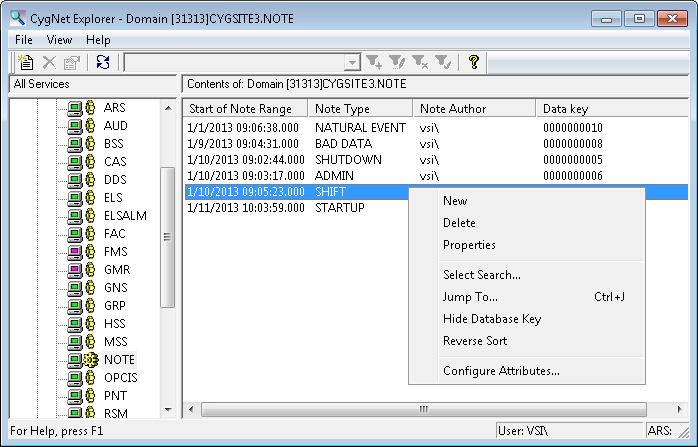
See also Installing the Note Service.
Context Menu Options
The following table lists and describes the context menu options that display when you right-click in the Note service pane.
| Option | Description | Shortcut |
|---|---|---|
|
New |
Click this option to create a new note. |
|
|
Delete |
Highlight an existing record and click this option to permanently delete a note record. |
|
|
Properties |
Highlight an existing record and click this option to view its properties in read mode. You can also just double-click an existing record. |
|
|
Select Search |
||
|
Jump To |
Ctrl+J |
|
|
Hide Database Key |
Click to Hide/Display the column in the service pane containing Data key values for each record. |
|
|
Reverse Sort |
Enables you to invert all records in the service. |
|
|
Configure Attributes |
Enables you to configure note type definitions as well as attributes. |
More:


